Reports
rime build runs the DAG and renders an HTML report from the run result. No
separate report file is required.
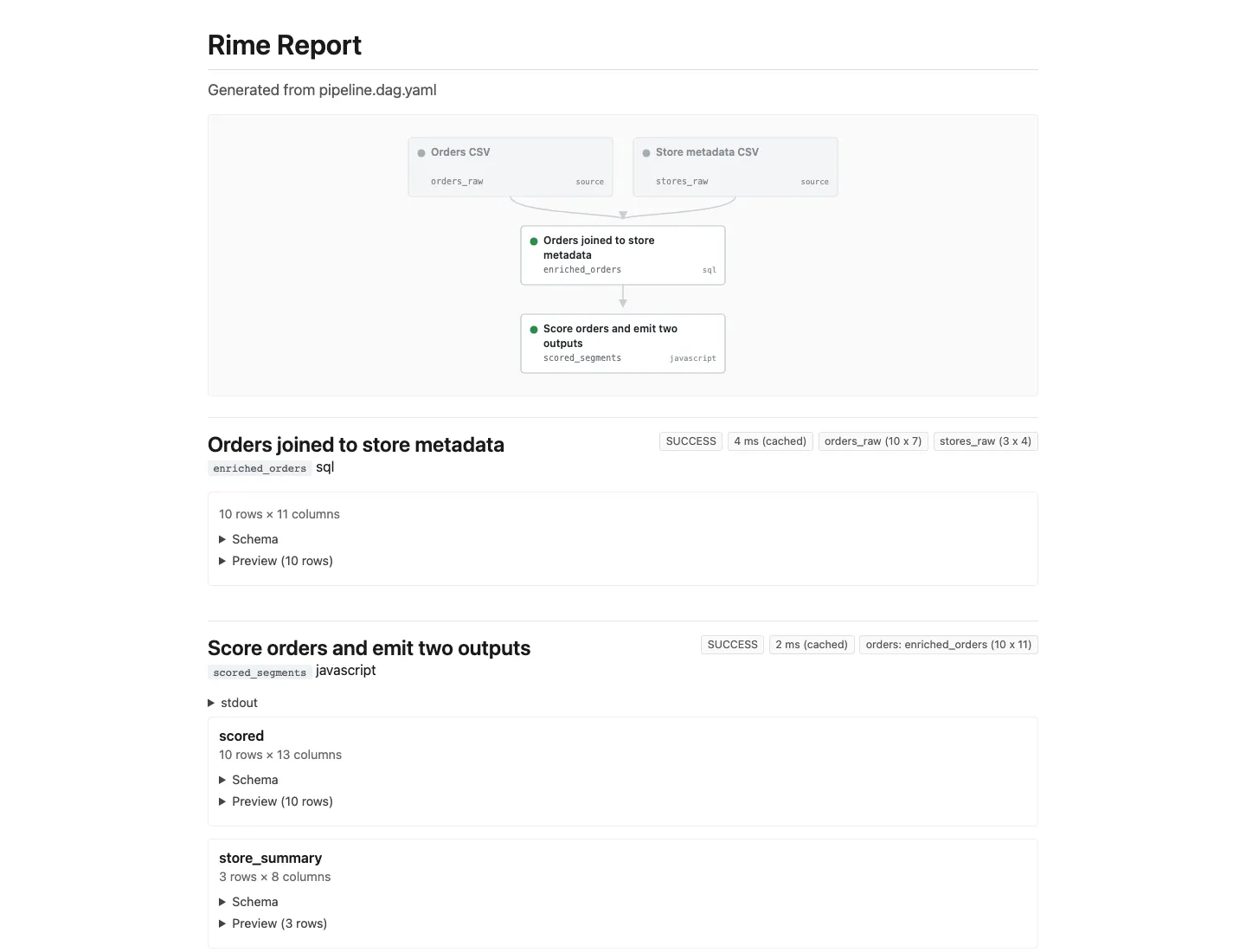
rime build pipeline.dag.yamlEvery node is included by default. Hide a node with metadata.report: false:
nodes:  - id: raw_orders    kind: source    path: data/orders.csv    metadata:      report: false
  - id: region_totals    kind: aggregate    inputs: [clean_orders]    groupBy: ["[region]"]    metrics:      - "[revenue] = [revenue].sum()"
Layout
Section titled “Layout”The generated report is organized by node:
- one section per included node
- node status, cache state, row counts, warnings, stdout, and figures shown once
- one output cell per runtime output
- table outputs show compact shape metadata such as rows and column count
- object/stat outputs show key-value fields and warnings near the result
For multi-output nodes, the node appears once and each output appears underneath it:
- id: segmented kind: javascript source: scripts/segment.js in: orders: clean_orders out: detail: table summary: tableThe report renders segmented once, then shows detail and summary as
separate output cells. Captured stdout and figures stay at the node level so
diagnostics are not duplicated.
Output rendering
Section titled “Output rendering”Rime chooses a display based on the actual runtime value:
- table/dataframe outputs render as shape, schema, and preview rows
- stat/object outputs render as key-value tables
html_artifactoutputs fromkind: htmlor JavaScript nodes render in an iframe- failed or output-less nodes still render node-level status, warnings, stdout, and errors
The report is intentionally review-first. A reader should be able to answer:
- Did this node run or come from cache?
- How many rows and columns did this output produce?
- Are there warnings or captured logs attached to the result?
- Is this a table, a statistical object, or a custom HTML artifact?
For authored browser-side visuals, add a kind: html node. The
report embeds its persisted default.html artifact without running a browser at
build time.
Output path
Section titled “Output path”By default, HTML is written next to the DAG under:
outputs/run_report.htmlOverride it with --out:
rime build pipeline.dag.yaml --out outputs/cohort_report.htmlLegacy Explicit Reports
Section titled “Legacy Explicit Reports”Explicit report files are still accepted as a compatibility path:
rime build pipeline.dag.yaml --report report.yamlUse this only when you need hand-authored prose, custom section ordering, or a specific column list. The default workflow is DAG-driven report generation.